Amazon Review Scraper
This Amazon review scraper reads the 1 and 2 star reviews of your product and up to two competitors in your own browser. It puts them in one table, sorts each complaint into a theme and shows which ones to fix in the product, the listing or the packaging.

Built for
- Amazon sellers planning a product update or relaunch
- Product researchers sizing up a competitor’s weak spots
- Agencies managing Amazon listings for clients
Key insights
- Complaint themes with counts, trend and a quote
- Your low-star themes against your competitors’
- What to fix in the product, the listing or the packaging
- Every collected review in one table
What is the Amazon review scraper?
An Amazon review scraper is a tool that collects a product’s customer reviews from Amazon into a table you can sort and export. Actionbook reads the review pages in your own browser for your product and up to two competitors. It focuses on Amazon negative reviews: the 1 and 2 star ones from the last 12 months. It then works as an Amazon review analyzer, sorting each complaint into a theme and showing whether the fix is in the product, the listing or the packaging.
How to scrape Amazon reviews and find what to fix
Turning Amazon reviews into a fix list takes five steps. The dashboard above follows them.
1. Start from the product links
Your own product first, then up to two competitors that buyers compare you with. Use the links from the marketplace you sell on.
2. Filter to 1 and 2 stars
Low-star reviews say what went wrong. Keep the last 12 months, and note each product’s rating mix so the complaints have context.
3. Put every review in one table
Stars, date, verified purchase, variant, title and text. One row per review, the same columns for every product.
4. Tag each review with one theme
Name the main complaint: it leaks, it arrived cracked, it is smaller than expected. Count each theme by month to see which ones are growing.
5. Split the themes by where the fix lives
A design flaw goes to product, a wrong expectation goes to the listing, damage goes to packaging. Then pick three to fix first.
Who the Amazon review scraper is for
Amazon sellers and brand owners
You are planning a product update or a relaunch and need to know what buyers disliked, in their words.
- Complaint themes with counts and a quote
- Which themes are growing by month
- Fixes tied to the reviews behind them
Product researchers
A competitor is selling well and you want to know where its product falls short before you build yours.
- Each theme’s share for every product
- The problem each competitor is known for
- Every review in one table to check the read
Agencies managing listings
You manage listings for several brands and tag reviews by hand before every client report.
- One format for every product
- Listing problems kept apart from product problems
- A CSV for the client’s sheet
How the Amazon review scraper works
Step 1: Click Build with Actionbook and paste your product links
One to three Amazon product links, yours first. It reads 1 and 2 star reviews on amazon.com unless you ask for other stars or another marketplace.
Step 2: Stay signed in to Amazon
Amazon asks for a sign-in before it shows a product’s full review pages. Actionbook reads what your account can see in your browser, and only reads.
Step 3: Read the themes and export the table
Check the themes against the reviews behind them, then export the review table as a CSV for your own sheet.
Amazon review scraper FAQ
What is an Amazon review scraper?
A tool that collects a product’s Amazon reviews into a table: stars, date, verified purchase, variant, title and text. This one also sorts the complaints into themes, so you get a fix list and not only an export.
Is it legal to scrape Amazon reviews?
The run reads the review pages you can already see in your own browser, at your pace, and never bypasses a login or a limit. This isn’t legal advice. Check Amazon’s Conditions of Use and your own situation before you rely on the data.
Why does it focus on Amazon negative reviews?
Low-star reviews name what broke, what was missing and what the listing got wrong. The default is 1 and 2 stars. Ask for 3 stars or every star in the chat.
Can I use it as an Amazon review analyzer?
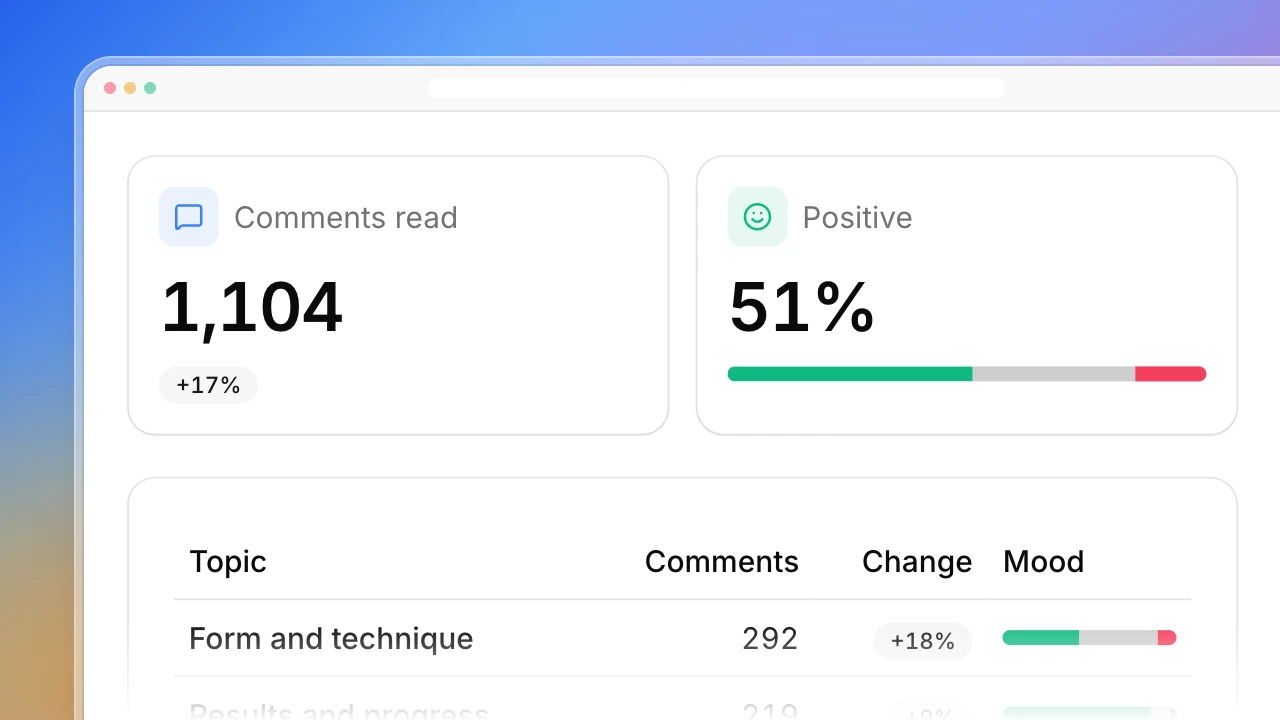
Yes. Each review is tagged with one complaint theme, and each theme gets a count, its share of the low-star reviews, a trend by month and a quote. The tags are labeled Our read, and every review stays in the table so you can check them.
How many reviews does it read?
The reviews your account can see for the chosen stars and the last 12 months. Anything Amazon didn’t show is listed under Coverage and notes at the bottom.
Do I need to sign in to Amazon?
Yes. Amazon asks for a sign-in before it shows a product’s full review pages. The run uses the session in your browser and never asks for your password.
Can I export the reviews?
Yes. The review table exports as a CSV with every column, including the theme.
Do the counts show a defect rate?
No. They describe the reviews that were read. Most buyers never leave a review, so a theme’s share is not the share of units with that problem.
Does it reply to reviews or estimate sales?
No. It only reads reviews. It doesn’t reply, vote, contact reviewers or estimate sales and rank.