Monitor Website for Changes
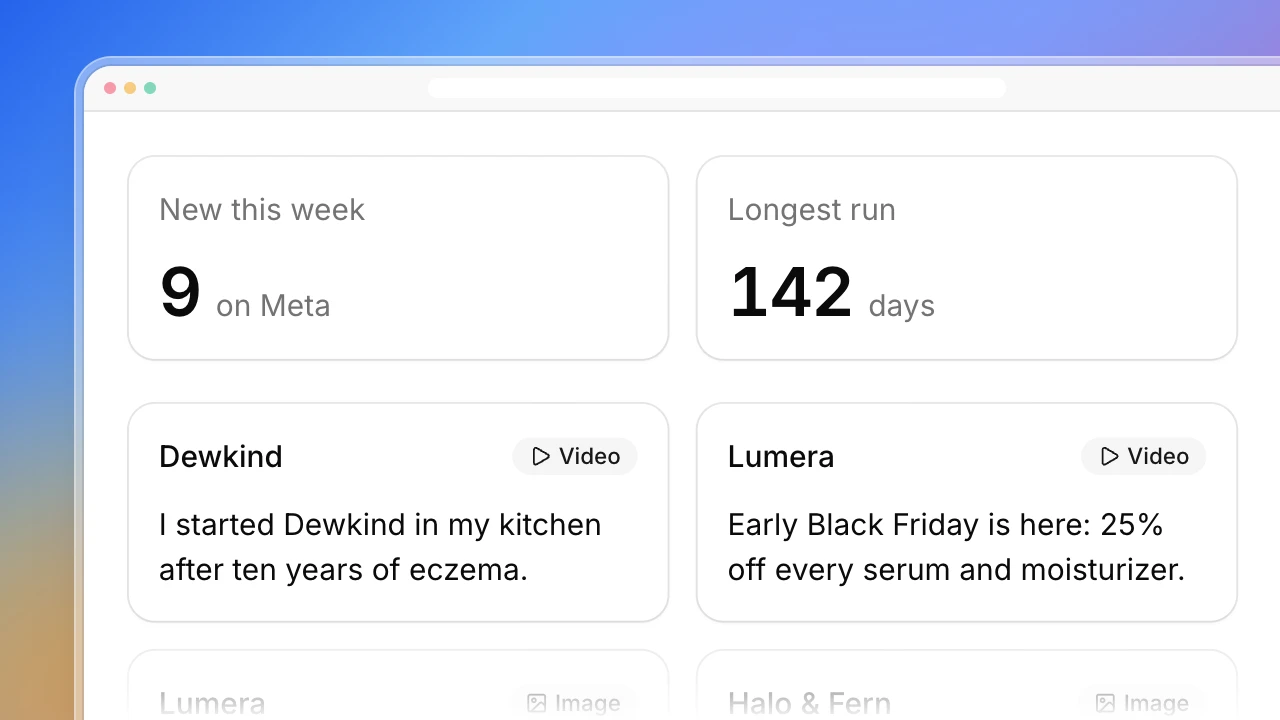
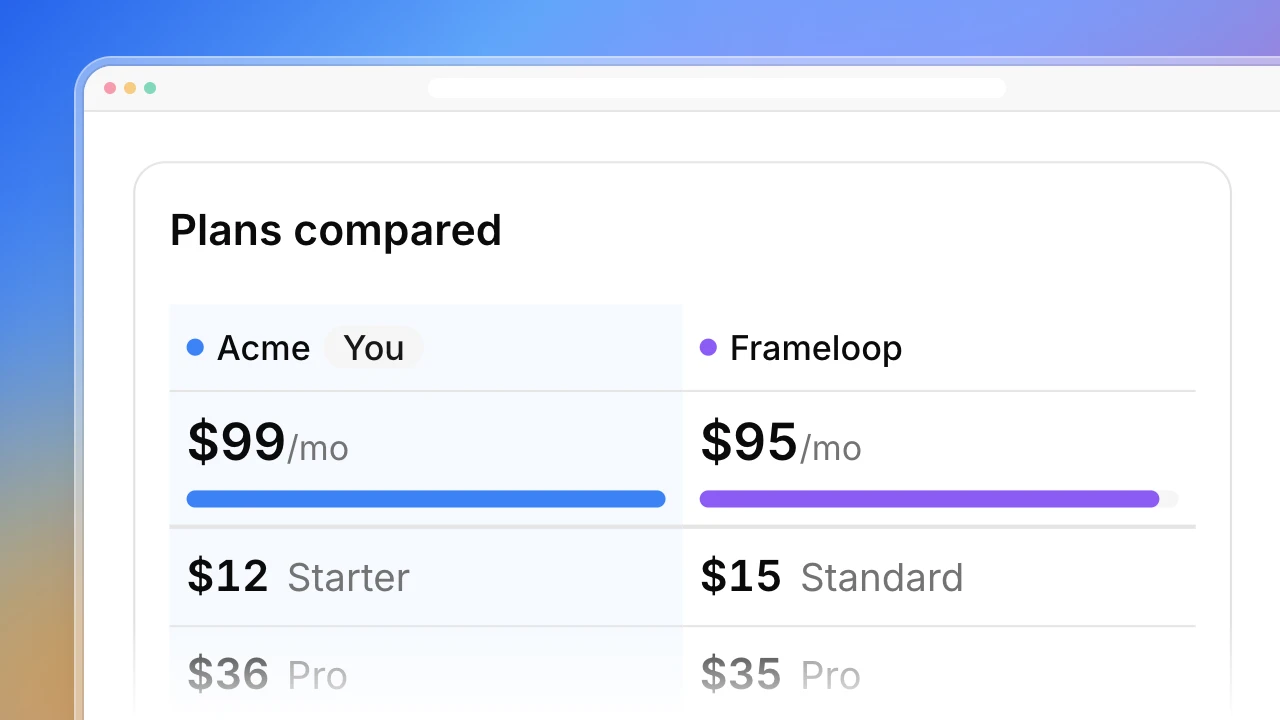
Monitor a website for changes without reading every diff. Give Actionbook your competitors’ sites. Each week it reads their homepage, pricing page and changelog in your browser, compares them with the last run and lists what changed: a price, a plan limit, a shipped feature, a new headline.

Built for
- Founders checking competitor sites every week
- Product marketers keeping battlecards and pricing pages current
- Agencies watching a client’s competitors
Key insights
- What changed on each competitor’s site, before and after
- Price, plan and limit moves on every pricing page
- What each competitor shipped, grouped by theme
- How each homepage headline was reworded
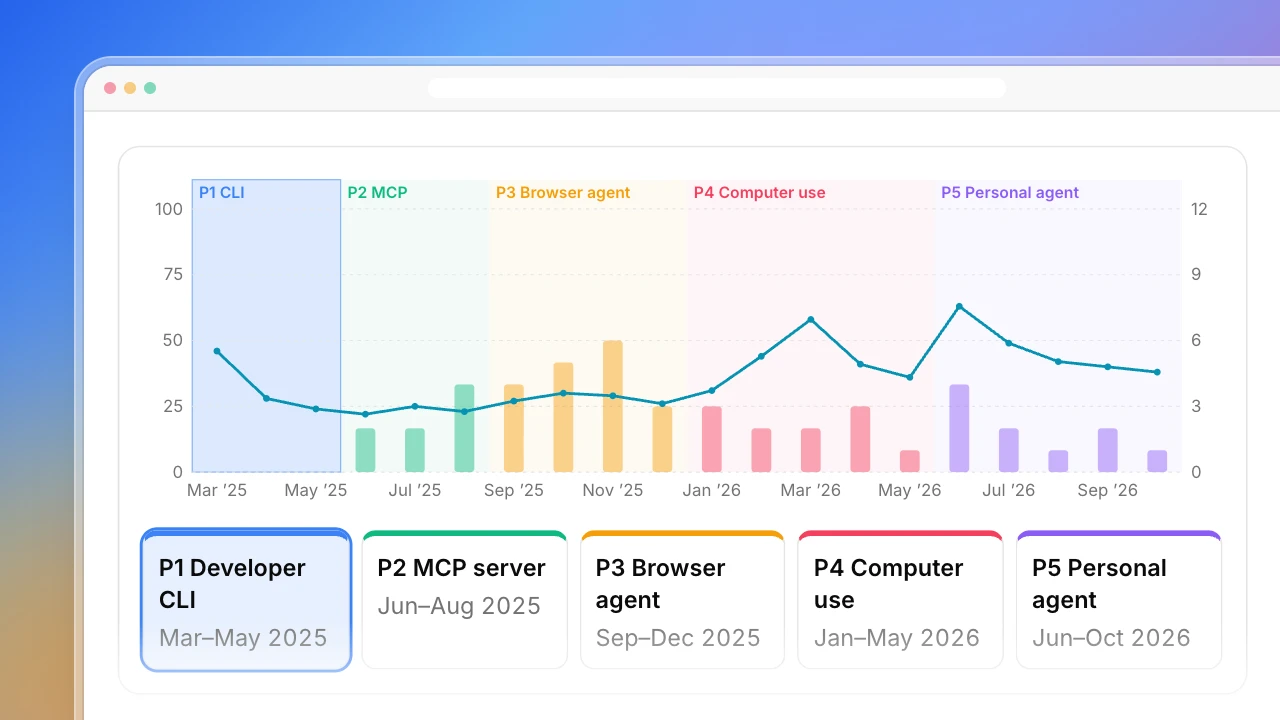
- Which competitor is changing fastest over time
What is the website change monitor?
To monitor a website for changes is to check its pages on a schedule and compare each with the last saved copy. Actionbook does it for your competitors: every week it reads each homepage, pricing page and changelog in your browser and reports only the changes that matter, with before and after. It works as a website change tracker for prices, plans, features and headlines. Unlike page-diff website change monitoring, each change comes with one line on why it matters.
How to monitor a website for changes
Monitoring competitor websites for changes takes five steps. The dashboard above follows them.
1. Pick the pages that carry decisions
The homepage, the pricing page and the changelog. Three or four pages per competitor is enough.
2. Save a baseline
The first check only saves a copy of each page. There is nothing to compare yet, so it reports no changes.
3. Compare the content, not the pixels
Read the words, prices and plan names. Ignore date stamps, styling and cookie banners, and count them as noise.
4. Sort each change by type
Price, plan, limit, feature, headline, new page or removed page. Keep the before and after text and the date you found it.
5. Write down why it matters
One line per change on what it means for you, then pick up to three things to do about the week.
Who the website change monitor is for
Founders watching a few competitors
You open the same competitor sites every week and compare them with what you remember.
- Only the changes that matter
- Before and after for each one
- What to do about them this week
Product marketers
Your battlecards and comparison pages go stale the day a competitor changes a price or a headline.
- Plans, prices and limits against the last check
- Homepage headline changes
- Dated evidence for every claim
Product managers and agencies
You report on what competitors shipped and need it grouped, not a feed of page diffs.
- Shipped features by competitor and theme
- Changes per competitor, week by week
- Pages that failed kept apart from pages with no change
How the website change monitor works
Step 1: Click Build with Actionbook and list your competitors
Three to five competitor websites. It reads each homepage, pricing page and changelog unless you name other pages.
Step 2: Let the first run save a baseline
Actionbook reads the public pages in your browser, and only reads. The first run saves each page and reports no changes.
Step 3: Schedule it every week
Each run is saved at the same link and compared with the one before. Scheduled runs happen while the Actionbook extension is online.
Website change monitor FAQ
How do you monitor a website for changes?
Check its pages on a schedule and compare each with the last saved copy. This playbook does it weekly for your competitors’ homepage, pricing page and changelog, and lists only the changes that affect a decision.
What does this website change tracker record?
Seven kinds of change: price, plan, limit, feature, headline, new page and removed page. Each one has the text before and after, the date it was found and one line on why it matters, labeled Our read.
How is it different from website change monitoring tools?
Most website change monitoring compares pixels or HTML and reports every edit. This reads the content, leaves out the noise and says what kind of change it is and what it means for you.
Does it do website change detection on any page?
Yes, for any public page you name. The default is each competitor’s homepage, pricing page and changelog, because those carry the changes worth acting on.
What does the first run show?
A baseline. It saves each page and reports no changes. Changes appear from the second run on.
Does it email or message me when a page changes?
No. It refreshes on your schedule, and each run is saved at the same link for you to open.
What counts as noise?
Date stamps, styling and cookie banners. They are counted per page at the bottom of the dashboard and never listed as a change.
What if a page fails to load?
It is marked Failed. A page that couldn’t be read is never shown as unchanged.
How is this different from the Competitor Positioning Analysis and Competitor Pricing playbooks?
Competitor Positioning Analysis follows how one competitor’s positioning moved over years, from archived snapshots. Competitor Pricing is a one-time side-by-side of plans and prices. This one is the weekly change log across several competitors’ key pages.