TikTok Profile Analyzer
Paste a TikTok profile link and see how the creator really performs: their typical views over the last 90 days, whether one hit is carrying the numbers, what works for them and how their brand posts did.

Built for
- Brands checking a TikTok creator’s typical reach before a campaign
- Agencies comparing TikTok accounts for a client
- Creators studying what works for a bigger account in their niche
Key insights
- Whether reach is steady or rests on a few hits
- Views and posting pace week by week
- Videos and photo posts compared on views, engagement and saves
- Top posts and the hashtags that pull the most views
- Brand posts measured against the creator’s usual level
What is the TikTok profile analyzer?
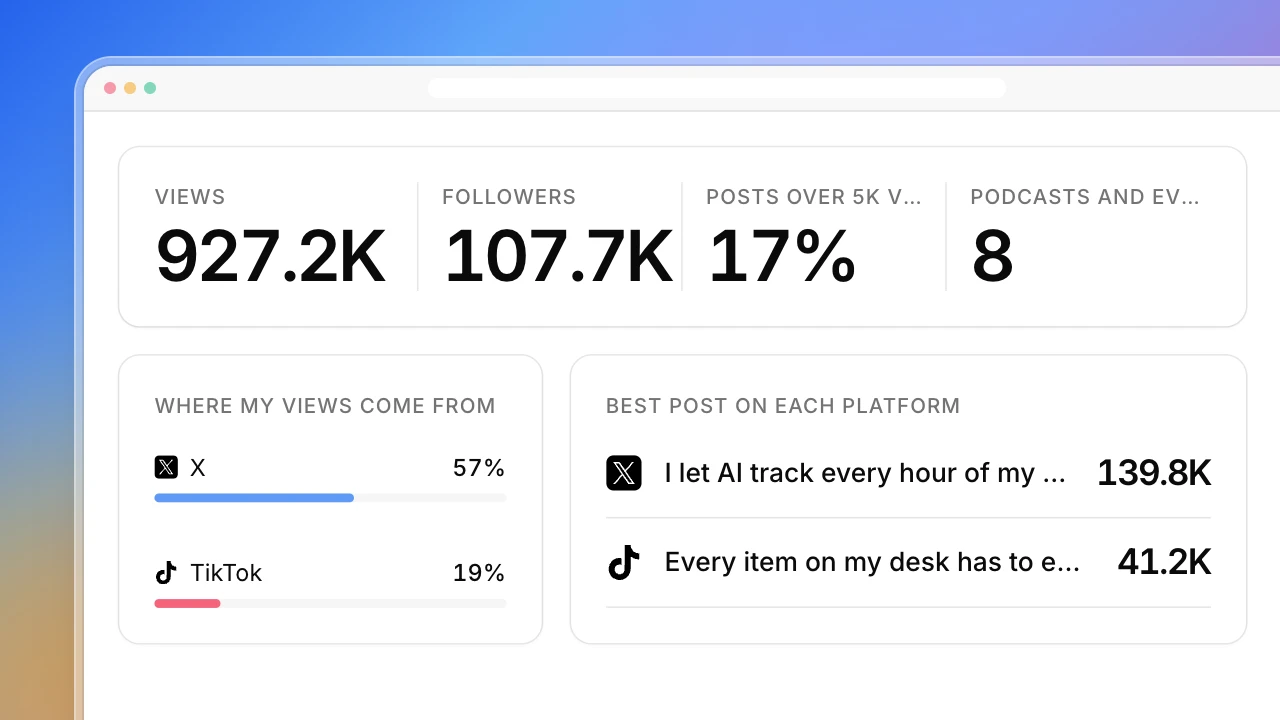
A TikTok profile analyzer reads a creator’s recent posts and shows how their content performs, beyond the follower count on the profile. Actionbook opens the profile in your browser and collects every post from the last 90 days: caption, date, format, hashtags, views, likes, comments, saves and shares. It leads with the question brands care about most: is the reach steady, or is one viral post pulling up the average? Then it shows views week by week, videos against photo posts, the top posts, the hashtags that pull the most views and how the creator’s brand posts did against their usual level. It works as a TikTok account analyzer for any public creator. Unlike a quick TikTok analyzer that only shows totals, it reads every recent post, and you can ask for the full history.
How to analyze a TikTok profile
Analyzing a TikTok profile takes five steps. The dashboard above follows them.
1. Read the last 90 days, not the whole history
Recent posts show how the creator performs now. Two-year-old hits say little about what a post next month will get.
2. Use the median, not the average
One viral video can double a creator’s average views. The median shows what a typical post gets, which is what a sponsored post is likely to get.
3. Check how steady the views are
Compare the average with the median, count the posts over a views bar you care about, and see how much of the total the top three posts carry.
4. See what works for them
Compare videos with photo posts on views, engagement and saves, and rank hashtags by the views they pull. Skip hashtags used only once or twice.
5. Check brand posts against the usual level
Sponsored posts often do worse than a creator’s other posts. The gap tells you what a paid post is likely to deliver.
Who the TikTok profile analyzer is for
Brands looking for TikTok creators
You’re planning a campaign and want proof of a creator’s typical reach, not just their biggest hit.
- Typical views over the last 90 days
- Whether one hit is carrying the numbers
- How their past brand posts did
Agencies vetting a creator shortlist
You compare several TikTok accounts for a client and need the same numbers for each one.
- Median views, not just the top post
- Posting pace week by week
- Brand posts against the creator’s usual level
Creators studying a bigger account
You want to know what a larger TikTok creator in your niche posts and what works for them.
- Formats that get saved
- Hashtags that pull the most views
- Their best posts of the last 90 days
How the TikTok profile analyzer works
Step 1: Click Build with Actionbook and paste a profile link
Any public TikTok creator’s profile. If you leave it out, it asks before it starts.
Step 2: Let it read the profile
It reads public pages in your browser and uses your login if TikTok asks for one. It only reads: it doesn’t follow, like or comment.
Step 3: Run it again before you sign a deal
Each run is saved at the same link, so you can see how the creator moved since you first looked.
TikTok profile analyzer FAQ
What is a TikTok profile analyzer?
A tool that reads a TikTok creator’s posts and shows how they perform: typical views, engagement, formats and topics. This one also shows whether the views are steady or rest on a few viral hits.
Can I use it as a TikTok account analyzer for any creator?
Yes, for any public account. It reads the same profile and post pages anyone can see. Private accounts and deleted posts aren’t visible.
Why the last 90 days?
Recent posts show how the creator performs now, which is what a sponsored post will get. Ask for a longer window or the full history in the chat and it collects every post on the profile.
How do I tell if one viral post is carrying the numbers?
Look at the steadiness card. If the average is far above the median, few posts clear your views bar and the top three posts carry most of the views, the reach rests on a few hits.
How is engagement rate calculated?
Likes, comments, shares and saves added together, divided by views. It is shown per format, so videos and photo posts are judged on their own terms.
How is it different from a quick TikTok analyzer?
Most TikTok analyzers show totals and a handful of recent videos. This reads every post in the window, checks how steady the views are, and compares formats, hashtags and brand posts against the creator’s own median.
How is it different from the Influencer Vetting Tool?
The Influencer Vetting Tool checks a creator across every channel they use, with audience fit and a test deal. This goes deep on TikTok alone, post by post.
Do I need a TikTok account?
Usually not. Profiles and posts are public, but TikTok sometimes asks for a login after many pages. Then Actionbook uses your own session. It only reads: it doesn’t follow, like, comment or send messages.