Monthly Business Review
Bring the month’s numbers and your team’s work into one review. See which goals are behind plan, what the evidence shows, and what needs a decision.


 +2
Built for
- Founders reporting monthly progress to their team or board
- Operations leads running the monthly review meeting
- Team leads explaining results against their goals
Key insights
- Every goal’s actual against its target, furthest behind first
- The key metric’s trend against plan over 6 full months
- Work and results by workstream, with owners and blockers
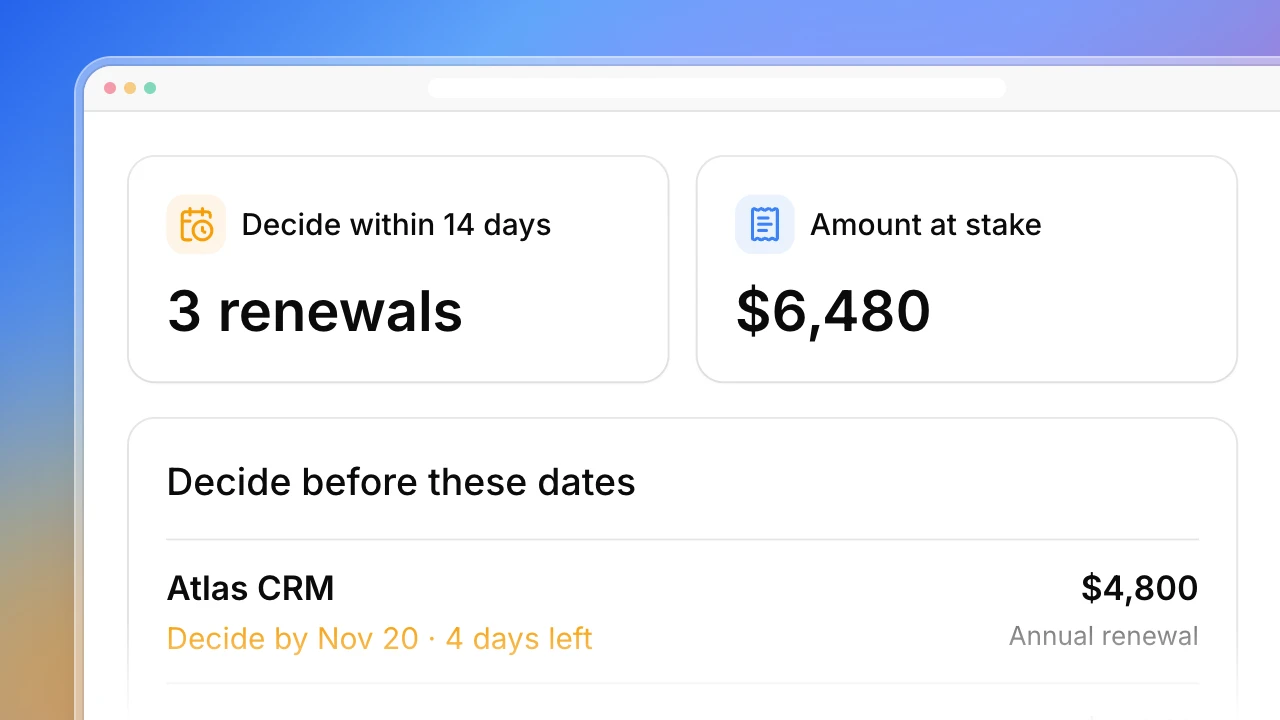
- Decisions for the meeting, each with an owner and a date
- What each source covers and what is missing
What is the monthly business review dashboard?
A monthly business review compares the month’s results with the plan and decides what to change. Actionbook reads your analytics, ad, search and product data and your project tracker, then lines up each goal with its actual, its target and the work behind it. Blockers and decisions come with an owner and a date. Missing data and unfinished months are marked, not filled in.
How to run a monthly business review
A useful review answers three questions: are we on plan, why, and what do we change. Prepare the numbers before the meeting so the time goes to decisions.
1. Start from the plan
List the goals you set for the month with their targets. A number with no target can be reported, but it cannot be behind or ahead.
2. Compare full months
Use the last complete month and the months before it. A month in progress always looks low next to a finished one.
3. Keep work and results apart
Publishing articles is work. Reaching 9,640 organic clicks is a result. Show both and say what evidence, if any, connects them.
4. End with decisions
For each goal behind plan, name the decision needed, who owns it and the date. Bring the evidence, not just the ask.
Who the monthly business review dashboard is for
Founders
You report progress to your team or board every month and want the review ready before the meeting.
- Every goal against its target
- What changed and what the evidence shows
- Decisions with an owner and a date
Operations leads
You run the monthly review meeting and chase the numbers from each team beforehand.
- Numbers from each tool in one place
- Unfinished months and missing data marked
- Blockers carried to the next review
Team leads
You explain your workstream’s results against the goals you agreed to.
- Work done alongside the team’s results
- Your project progress from the tracker
- The asks you need from the meeting
How the monthly business review dashboard works
Step 1: Click Build with Actionbook and list your goals
Name the month, your goals with their targets, and the tools that hold the numbers. Add your project tracker if you want work shown next to results.
Step 2: Actionbook reads each tool in your browser
It opens GA4, Google Ads, Search Console, PostHog and your tracker with your login and reads the month’s figures. Each number keeps its source.
Step 3: Review it before the meeting
Check the goals behind plan, the blockers and the suggested decisions. Run it again next month and the trend grows by one full month.
Monthly business review dashboard FAQ
What if we never set targets?
Goals without a target are shown with their actual and marked No target. They are left out of the behind and on-track counts. The report suggests setting one where a number is reviewed every month.
Can I run it before the month ends?
Yes, but the month in progress is shown on its own and is not compared with full months. By default the review covers the last complete month.
Why are Google Ads conversions and sign-ups shown separately?
Google Ads reports ad conversions. Product analytics counts sign-ups. Show both with their sources. Cost per sign-up uses only sign-ups attributed to the campaigns whose spend is included, over the same reporting period and time zone.
Which tools can it read?
The example reads Google Analytics, Google Ads, Search Console, PostHog and Linear. You can name other analytics, ad or project tools you are signed in to; the review keeps the same structure.
How is this different from the client reporting dashboard?
The client reporting dashboard is a monthly marketing report an agency sends a client, comparing this month with last month. This review compares results with your own plan and puts your team’s projects, blockers and decisions next to them.
Will it change anything in my tools?
No. It reads the numbers and your tracker and builds the review. It does not edit campaigns, issues or due dates, and it does not send the review to anyone.